
Cloud PBX, Hosted PBX & SIP Trunks in South Africa 2026: Costs & How to Switch
Bottom line: A cloud PBX replaces the phone box in your comms cupboard with a system hosted online — from R299 per user per month, no upfront hardware. It keeps working through load shedding, keeps your existing numbers, and lets staff take office calls anywhere. Here's what a hosted PBX and SIP trunk actually cost in South Africa, and how to move across.

Cloud PBX at a Glance — South Africa 2026
R299
From per user / month
R0
Upfront hardware
5–10
Days to port numbers
A cloud PBX hosts your entire phone system online — call routing, IVR menus, extensions, voicemail and recording — over a SIP connection. No on-site box, no line rental, and it stays up when the power (and your building) goes down.
What Is a Cloud PBX (and How Is It Different from a SIP Trunk)?
A PBX (Private Branch Exchange) is the system that runs your business phones — routing calls to the right extension, playing your "press 1 for sales" menu, taking voicemail, and connecting you to the outside world. Traditionally it was a physical box bolted to a wall in your office, wired to Telkom lines.
A cloud PBX (or hosted PBX) does exactly the same job, but the box lives in a secure data centre and your calls travel over the internet. You manage everything through a web dashboard, and staff make calls on desk phones, a laptop softphone or a mobile app.
A SIP trunk is a related but different thing. It is the digital "line" that carries calls over the internet, replacing old analogue or ISDN lines. Two common scenarios in South Africa:
- You keep your existing on-site PBX but connect it to a SIP trunk — cheaper line rental, keep your hardware investment.
- You move everything to a cloud PBX — the SIP trunk and the phone system come bundled in one monthly subscription, and the on-site box disappears entirely.
For most SA SMEs starting fresh or replacing ageing hardware, a cloud PBX is the simpler, cheaper choice. If you have recently invested in a capable on-premise PBX, a SIP trunk lets you cut costs without throwing it away.
How Much Does a Cloud PBX Cost in South Africa?
Cloud PBX pricing in South Africa is per user, per month — you pay for the number of people who need an extension, not for a big upfront system. Here is the realistic range:
| Plan | Monthly Cost | What's Included |
|---|---|---|
| Essential (MWCOM) | R299 / user | Cloud PBX, 1 number, basic IVR, voicemail, mobile + desktop apps |
| Professional | R899 | Adds call recording, multi-level IVR, CRM integration (Zoho, Sage) |
| Enterprise | R2,999 | Unlimited recording, call-centre queues, reporting, 50+ users |
The big saving is what you don't pay. A traditional on-premise PBX costs R15,000–R100,000+ upfront for the hardware, plus installation, plus monthly line rental for each analogue or ISDN line. A cloud PBX has none of that — you pay a predictable per-user fee and add or remove users as your team changes.
What about call rates?
Call rates are billed on top of the subscription and are far lower than legacy Telkom rates — local and national calls over VoIP typically cost a few cents a minute, and internal calls between your own extensions (even across branches) are free. Many providers bundle a monthly minute allowance.
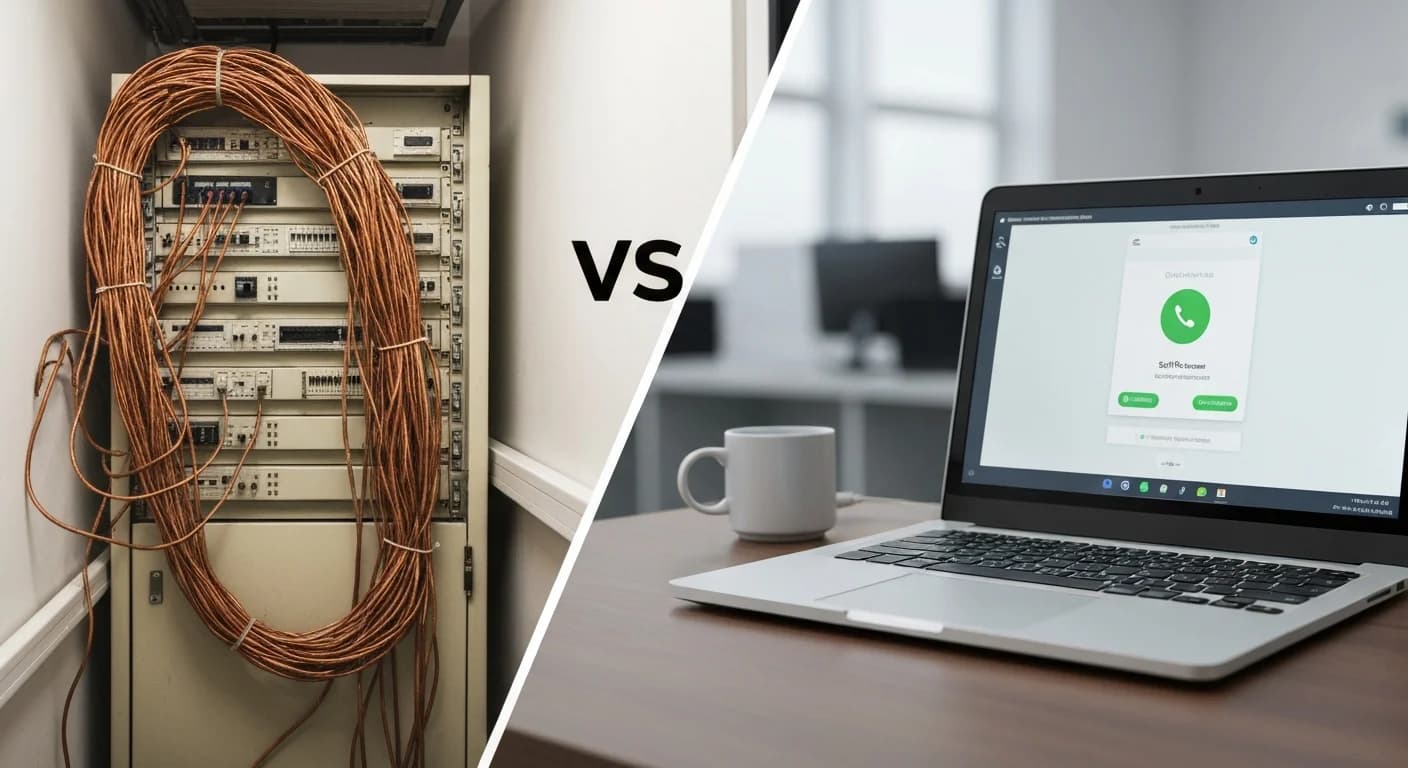
Cloud PBX vs SIP Trunk vs On-Premise PBX
Three ways to run business phones in South Africa, side by side:
| Factor | On-Premise PBX | SIP Trunk + own PBX | Cloud PBX |
|---|---|---|---|
| Upfront hardware cost | R15k–R100k+ | You already own it | R0 |
| Works in load shedding | No (dies with power) | Only if PBX has backup | Yes |
| Staff work from anywhere | No | Limited | Yes |
| Add/remove users | Technician call-out | Technician call-out | Instant, self-service |
| Maintenance | Your responsibility | Shared | Provider-managed |
| Best for | Legacy sites | Recent PBX investment | Most SA SMEs |
The load-shedding row is the one that settles most South African decisions. An on-site PBX is only ever as reliable as the power feeding it. A cloud PBX moves that dependency off your premises entirely — pair it with VoIP on a connection with LTE failover and your phones simply do not go down.

How to Switch to a Cloud PBX (Step by Step)
Moving to a cloud PBX is far less disruptive than most business owners expect. The typical migration runs like this:
Audit your current setup
Count your users, extensions and numbers, and note the features you actually use — IVR menus, ring groups, call recording, after-hours routing. This becomes the blueprint for your cloud PBX.
Check your internet and add failover
VoIP needs a stable connection. Business fibre is ideal; adding LTE failover means calls keep flowing during a fibre cut or outage. A good provider tests your line before quoting.
Port your numbers
Your existing SA geographic numbers are ported to the new provider under ICASA number portability — usually 5–10 business days, with no downtime on the number during the switch.
Configure the PBX online
Extensions, IVR menus, voicemail, ring groups and business-hours rules are all set up in the web dashboard. No technician needs to visit — though a good provider does it with you.
Roll out devices and go live
Staff get desk phones, the desktop softphone or the mobile app. Test internal and external calls, confirm the IVR flows, then cut over. Old lines are cancelled once you're happy.
Is a Cloud PBX Worth It for a South African Business?
For most SA SMEs, yes — especially any business where missed calls mean missed revenue, or where staff work across sites or from home.
Uptime
Load-shedding proof
Hosted off-site, runs on mobile data
Mobility
Answer anywhere
Office number on desk, laptop or phone
Cost
No CapEx
Predictable per-user fee, scale on demand
A Midrand logistics firm that moved off its ageing on-site PBX cut monthly line-rental costs by more than half and, for the first time, kept taking customer calls straight through a full day of stage-4 load shedding — controllers simply answered on the mobile app from home. The hardware they would have replaced never had to be bought.
POPIA note: call recordings and customer data on a cloud PBX are personal information. Choose a provider that encrypts calls, restricts recording access and signs a data processing agreement. MWCOM's infrastructure is POPIA-ready by design.
MWCOM Cloud PBX
From R299/user. No hardware. No downtime.
Hosted PBX and SIP trunks for South African business — keep your numbers, work anywhere, stay up through load shedding. One partner, one bill.
Explore MWCOM Cloud PBX →No upfront hardware · Port your existing numbers · South Africa only
Frequently Asked Questions
What is a cloud PBX?
A cloud PBX (hosted PBX) is a business phone system that runs on a provider's servers instead of a box in your office. Calls travel over the internet, and features like IVR menus, extensions, voicemail and call recording are managed from a web dashboard. In South Africa it starts from about R299 per user per month.
How much does a cloud PBX cost in South Africa?
From R299 per user per month for an entry plan, R899/month for professional features like call recording and CRM integration, and R2,999/month for enterprise call-centre functionality. There is no upfront hardware cost, unlike a traditional PBX which can run R15,000 to over R100,000.
What's the difference between a cloud PBX and a SIP trunk?
A SIP trunk is the internet connection that carries your calls, replacing old analogue or ISDN lines. A cloud PBX is the full phone system (routing, IVR, extensions) hosted online. A SIP trunk lets you keep an existing PBX for less; a cloud PBX replaces the hardware entirely with a monthly subscription.
Does a cloud PBX work during load shedding?
Yes. Because it runs off-site in a data centre, it stays up when your office loses power. As long as staff have mobile data or internet with backup power, they keep answering calls on the mobile app. A traditional on-site PBX dies the moment the power does.
Can I keep my existing phone number?
Yes. SA geographic numbers can be ported to a cloud PBX provider under ICASA number portability, usually within 5–10 business days, and the number keeps working during the switch. You can also add new numbers in any area code instantly.
Is a cloud PBX POPIA compliant?
It can be, when the provider encrypts calls, restricts access to recordings, sets clear retention policies and signs a data processing agreement. MWCOM runs POPIA-ready infrastructure for South African businesses.
Related reading
Jethan Maharaj
MD, MWCOM | LinkedIn: linkedin.com/in/jethan-maharaj
Jethan has spent 15 years helping South African businesses stay connected. MWCOM serves 250+ businesses across Gauteng, the Western Cape and KwaZulu-Natal with cloud VoIP, business internet and WhatsApp automation.